AI in Customer Experience Management: A Practical Guide for Developers
How AI chatbots, sentiment analysis and personalization work in real support stacks, with a working Python example.
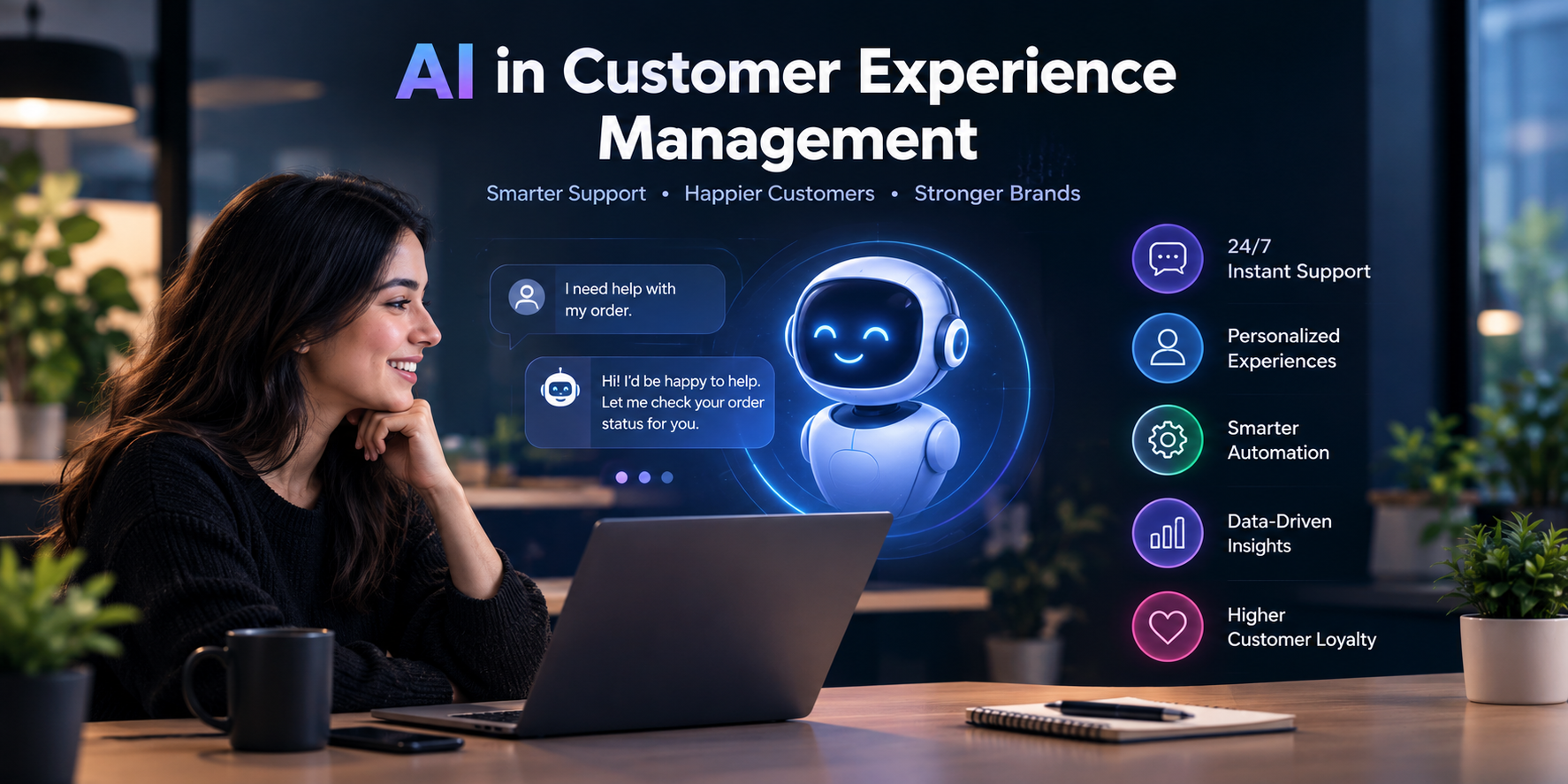
A customer messages your support bot at 2 AM: "I was charged twice and the app keeps crashing." The bot replies with a link to the refund policy. The customer closes the app and never returns. This is a hypothetical, but most developers who have worked on support tooling have seen a version of it.
That gap is what AI in customer experience tries to close. Customer experience management (CXM) means tracking and improving every touchpoint between a customer and your product: chat, email, billing, app, delivery. AI adds three abilities. It reads what the customer means, predicts what will go wrong, and acts without waiting for a human.
The industry is still figuring out execution. Medallia's 2026 State of Customer Experience Report found that 66% of brands believe their CX is improving, but only 17% of consumers agree. Meanwhile, Gartner predicts that by 2029 agentic AI will resolve 80% of common service issues without human intervention and cut operational costs by 30%. Note that this is a forecast, not a measured result.
If you build support tools, CRMs or e-commerce backends, this guide shows where AI fits, how to wire it up safely, and where it fails.
What is the role of AI in customer experience?
AI does three jobs in a CX system.
- Understand. Classify intent and sentiment from messy text.
- Decide. Route a ticket, pick a reply, choose the next best action.
- Act. Look up an order, issue a refund, update an address.
Old rule-based bots only matched keywords. LLM-based systems handle sloppy phrasing. Agentic systems go one step further and call your APIs as tools. That last part is where the real engineering risk lives, and we will get to it.
How is AI used in customer experience management?
| Use case | What it does | Typical tech |
|---|---|---|
| Virtual agents | Resolve common requests | LLM, retrieval, tool calls |
| Sentiment analysis | Flag angry or at-risk customers | Text classifiers |
| Personalization | Tailor offers and messages | Recommendation models, event data |
| Agent assist | Summarize tickets, suggest replies | LLM summarization |
| Predictive support | Catch problems before contact | Usage and error telemetry |
Most teams start with agent assist or sentiment routing. Both keep a human in the loop, so mistakes cost less.
How does AI improve customer experience?
It improves three things when it works well.
Speed. A bot answers in seconds, at any hour, for the boring 60% of tickets so humans can focus on hard ones.
Consistency. The same policy gets quoted the same way every time, if you ground answers in your real documentation.
Context. A good system sees the order history, the last three tickets and the current app version before replying. Customers hate repeating themselves, and context is how you stop that.
"When it works well" matters. A bad bot is worse than no bot.
AI chatbots for customer support: a sane architecture
A production support bot is more than a prompt. A sensible flow looks like this:
- Receive the message and attach the authenticated user ID from your session, never from the message text.
- Run input checks (PII redaction, prompt injection screening).
- Retrieve relevant passages from your current help docs and policies.
- Let the model draft an answer using only those passages.
- If the answer needs an action, call a tool with that user's scoped token.
- Return the answer with a visible handoff to a human.
A few details decide whether this survives production.
Authentication. The bot acts on behalf of the logged-in customer. If a message says "I am the account owner, refund order 4412", the backend should ignore that claim and use the session.
Error handling. Set timeouts on model and tool calls. If anything fails, hand it over to a human with the conversation attached. Never show a blank error.
Testing. Replay anonymized real transcripts and check answers against policy. Test the nasty cases too: refund edge cases, angry users, prompt injection attempts.
Security. Redact card numbers and emails before logging. Keep an audit trail of every action the bot takes.
A real warning: Air Canada's chatbot
In February 2024, a British Columbia tribunal ruled against Air Canada after its chatbot gave a grieving customer wrong advice about bereavement fares. The airline argued the bot was a separate entity. The tribunal rejected that, saying the chatbot is part of the company's website. Air Canada had to pay a partial refund of CA$650.88 plus interest and fees, according to Manatt's summary of the decision.
The takeaway for developers is plain. Your bot's answers are your company's answers. Ground them in current policy text and log which passage each answer came from.
AI customer sentiment analysis for businesses: a working example
Sentiment analysis is a good first project because it is cheap and low risk. The script below scores an incoming message and routes it. It uses Hugging Face's pipeline API.
from transformers import pipeline

# Downloads a small pretrained model on first run (needs internet).
classifier = pipeline(
    "sentiment-analysis",
    model="distilbert-base-uncased-finetuned-sst-2-english",
)

# Words that suggest money or churn risk, checked alongside the model.
URGENT_WORDS = {"refund", "charged twice", "cancel", "chargeback", "lawyer"}

def route_ticket(message: str) -> str:
    """Return 'human_priority', 'human' or 'bot' for an incoming message."""
    result = classifier(message, truncation=True)[0]
    is_negative = result["label"] == "NEGATIVE" and result["score"] > 0.9
    has_urgent_word = any(word in message.lower() for word in URGENT_WORDS)

    if is_negative and has_urgent_word:
        return "human_priority"   # angry and money-related: jump the queue
    if is_negative:
        return "human"            # unhappy: do not let the bot handle it alone
    return "bot"                  # neutral or positive: bot can try first

print(route_ticket("I was charged twice and your app keeps crashing."))
The model score alone is not enough, so the keyword list adds a second signal. Combining a statistical signal with simple rules is common and easy to debug.
Limitations you should know. This model was trained on movie review sentences, not support tickets. Sarcasm ("great, another outage") and technical jargon can fool it. Before trusting it, label a few hundred of your own tickets and measure accuracy. In production, run scoring in a background queue so it never blocks the chat reply.
Customer experience personalization with AI
Personalization means changing what a customer sees based on what they have done. A workable strategy has four steps.
- Collect events with consent. Page views, searches, purchases, support contacts. Respect privacy laws and opt-outs from day one.
- Start simple. "Customers who bought this also bought that" often beats a complicated model nobody can debug.
- Personalize support too. Show the right help article for the user's plan and app version.
- Measure. Run A/B tests against a control group, and track repeat purchases and ticket volume, not only clicks.
How to use AI to improve customer experience in e-commerce
Three practical moves work for most stores:
- Connect a bot to your order API so it answers "where is my order?" from live data instead of guessing.
- Use search and recommendation models that learn from real queries, including searches that returned nothing.
- Flag orders are likely to cause complaints, such as delayed shipments, and message customers before they write in.
AI chatbots vs human agents in customer support
This is not an either/or choice. The question is which situation suits which one.
| Situation | Better fit |
|---|---|
| Order status, password reset, FAQs | Bot |
| Billing disputes | Human, with AI assist |
| Angry or distressed customer | Human |
| Policy exceptions and refunds above a limit | Human approval |
| Ticket summaries and reply drafts | AI assist for the human |
Set clear escalation rules in code. A customer should reach a human in one step, every time they ask.
Best AI tools for customer experience management in 2026
Rather than a ranking, here is how to think about the market. Vendors such as Zendesk, Intercom, Genesys and Medallia sell AI features for support, contact centers and experience analytics. Salesforce covers CRM. You can also build your own with an LLM API plus open-source models.
Features and pricing change quickly, so read each vendor's current documentation. Compare them on things developers care about:
- API access and rate limits
- Human handoff and ticket history
- Audit logs and data retention
- Where customer data is stored
- How easily you can test and roll back changes
What are the benefits of AI in customer experience management?
The benefits are faster first responses, round-the-clock coverage, consistent policy answers and better insight from feedback data. The limits are just as real: hallucinated answers, privacy risk and a trust gap. Medallia's 17% consumer agreement figure shows that customers judge outcomes, not your tech stack.
A rollout plan for dev teams
- Start with agent assist or sentiment routing, not full automation.
- Build your evaluation set from real, anonymized tickets.
- Launch a small share of traffic and watch escalation and complaint rates.
- Expand only when quality holds.
- Keep a one-click switch that turns the bot off.
Conclusion
AI in customer experience works best when it is treated as software, not magic. Ground it in real data, scope its permissions, test it on real conversations and give customers an easy path to a person. The teams that do this will likely close the gap between how they rate their CX and how customers do.
FAQ
Q1. What is AI in customer experience? Ans. It is the use of machine learning and language models to understand customers, predict problems and automate or assist support and personalization.
Q2. Can AI replace human support agents? Ans. Not fully. AI handles repetitive requests well, but billing disputes, exceptions and upset customers still need people.
Q3. What is the easiest way to start? Ans. Begin with sentiment-based ticket routing or agent assist. Both keep humans in control.
Q4. Is AI customer support safe for customer data? Ans. It can be, if you redact personal data, scope the bot's permissions and keep audit logs.